
Reading Eggs - Learn to Read
Blake eLearning Pty LtdEducation
4.3533.00 Reviews
- Version
- v2.20.1+132
- Installs
- 1.00M
- Age Rating
- Everyone
Screenshots
Our Review of Reading Eggs - Learn to Read
 Analysis by Appyee
I judge a children’s reading app by more than whether it keeps a child tapping. It should make practice feel manageable, give a parent a useful way to support it, and suit the child’s actual stage rather than simply their age. Reading Eggs - Learn to Read is built for children from toddlers through the early teen years, so its broad age range is appealing—but it also means families should pay attention to fit. A very young beginner and an independent reader need different kinds of encouragement, and no single app will be the right choice for every child.
Reading Eggs is an education app from Blake eLearning Pty Ltd. It is free to download, rated for Everyone, and has an average rating of 4.5 from around 11,000 ratings, with more than a million installs. Those figures suggest that many families have tried it, but I would still make the decision based on the child’s needs and how the lessons fit into your routine. The app includes in-app purchases, so it is worth checking what is available in the version you use before treating the free download as the full experience.
Choosing a reading app that fits your child
I’d begin by noticing how your child responds to reading practice, not by choosing an app based on age alone. In this section, I look at the kinds of support that matter most—guided practice, a manageable routine, and room for different reading stages—so you can judge whether an interactive approach is likely to help before settling on a tool.
Start with the kind of help your child needs
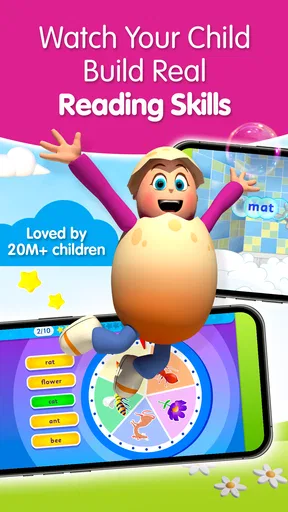
The first thing that caught my eye was the vibrant and kid-friendly interface. Right from the get-go, Reading Eggs welcomes users with its colorful and engaging design. It’s like stepping into a magical world where learning is seamlessly blended with play.
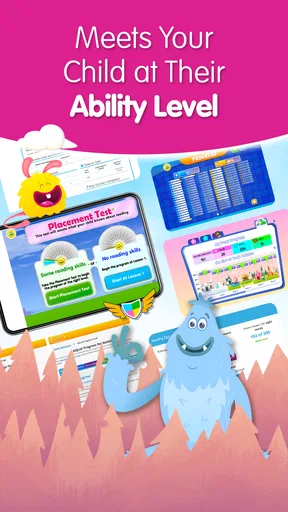
Signing up was a breeze, and before I knew it, I was creating a profile for my little learner. The app cleverly adjusts to the child's age and reading level, ensuring a personalized experience that grows with them. It’s like having a personal tutor in your pocket.
That combination makes the app a sensible candidate for a child who needs regular, guided reading practice but is not yet ready to work through a book independently. It can also help when a parent wants a structured activity to offer after school without having to invent a lesson from scratch. I would not assume, though, that an age-based profile automatically means every activity will feel exactly right. Watch how your child responds: if they are breezing through tasks, losing interest, or getting frustrated, use that reaction to decide whether to adjust the level or choose a different kind of practice.
For a reluctant reader, the playful presentation may lower the barrier to starting. For a child who already loves paper books and asks to read aloud, the app is better used as one part of a wider routine than as a replacement for shared reading. The useful question is not simply whether a child likes screen activities; it is whether the app’s prompts lead to more confidence with letters, words, and stories away from the screen.
Short lessons work best as a routine
Now, onto the bread and butter of Reading Eggs—the lessons. These are split into short, digestible chunks that keep kids engaged without overwhelming them. Each lesson is interactive, using animations, songs, and games to reinforce learning. Honestly, it’s hard to tell if it’s an educational app or a game!
One of my favorite features is the reward system. As kids progress, they earn golden eggs which they can use to unlock new levels and fun rewards. It’s a brilliant way to motivate them to keep going without making it feel like a chore.
In everyday use, I would treat a lesson as a small appointment rather than handing over the device for an open-ended stretch. For example, after school, a parent could let a child complete a short session before moving on to a snack or a favorite non-screen activity. That creates a clear beginning and end, and it makes it easier to notice whether the child is learning or simply chasing the next reward. If the child is tired, stopping after a focused lesson is more useful than pushing through just to collect more eggs.
The rewards are a helpful nudge, but they should not become the only reason a child opens the app. A practical parent habit is to ask the child to explain one thing they practiced after a session—perhaps a sound, a word, or a part of a story. That quick conversation connects the game-like activity to actual reading and helps you see whether the lesson made sense. It also avoids turning progress into a contest between siblings.
Progress and profiles need a parent’s attention
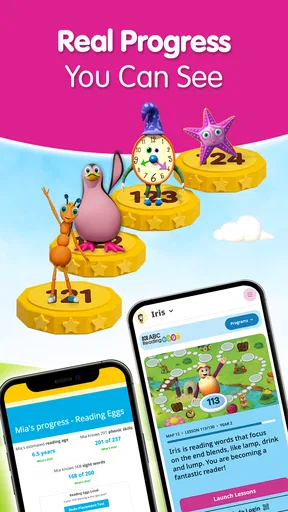
What sets Reading Eggs apart is its adaptive learning approach. The app tracks progress and adjusts the difficulty of the lessons accordingly. It’s like having a personal coach that knows just when to push a little harder and when to ease up. Plus, the app sends regular progress reports to parents, so you’re always in the loop.
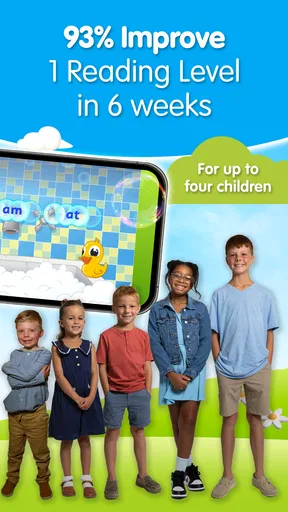
For those with more than one budding reader, the app allows for multiple profiles. This way, each child can have their own personalized learning journey without stepping on each other’s toes.
Progress tracking is most useful when it informs a small decision, not when it becomes another score to manage. I would look for patterns over time: is a child returning willingly, moving through activities with less help, or repeatedly struggling in the same area? That gives a parent a better starting point for a conversation than simply asking whether the child completed a lesson. Reports can support that check-in, but they do not replace listening to a child read or talking with a teacher when a persistent difficulty needs attention.
Separate profiles are especially practical in a household where siblings share a device. Before handing it over, make sure the child is using their own profile; otherwise, one child’s activity can make the other’s learning path less useful. This is a small bit of setup that can save confusion later. It also makes the app easier to use as a family tool, rather than expecting siblings at different stages to follow the same sequence.
Extras broaden the experience, but check the fit
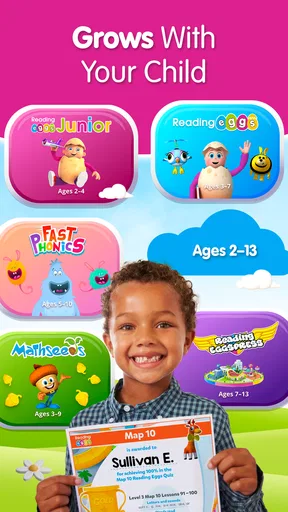
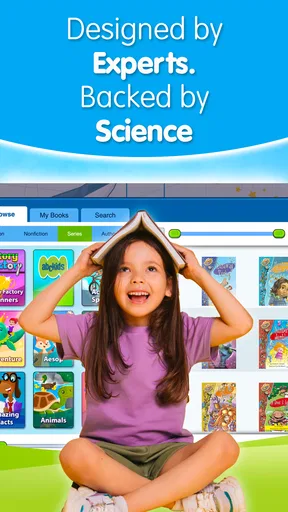
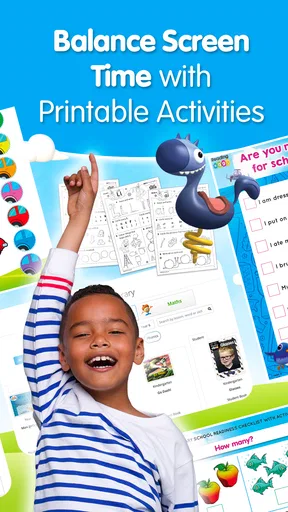
Beyond the core reading lessons, Reading Eggs offers plenty of extras. There are e-books, printable worksheets, and even math games available through the Mathseeds section. It’s a one-stop shop for all your child’s learning needs.
And for the more advanced readers, the app transitions into Reading Eggspress, which focuses on building comprehension, grammar, and vocabulary skills. It’s perfect for kids who are starting to read independently.
Those additions can make the app more useful when a family wants reading practice to continue beyond early letter work. E-books offer a different way to engage with text, while printable worksheets can give a child a break from tapping and provide something a parent can look over together. A useful trade-off is that having many kinds of activities in one place may make it tempting to jump between them. I would choose one clear goal for a session—such as practicing a lesson or reading a story—rather than treating every extra as something the child should complete.
The move toward comprehension, grammar, and vocabulary also matters when a child can already decode words but needs help understanding what they read. That is a different need from learning letter sounds, and it is worth checking whether the child enjoys the more advanced work rather than assuming that greater difficulty always means better progress. If their main goal is simply to build a quiet habit of reading longer books, a library book or a dedicated e-book reader may be a better complement than adding more app activities.
How it compares with other ways to learn
Compared with a basic phonics game, Reading Eggs appears to offer a broader path: lessons, progress support, multiple learner profiles, and material for readers who are ready to move beyond the earliest skills. That breadth is a strength for families who want one familiar place to return to as a child develops. A simpler letter-and-sound app may be a better fit, however, if a child needs only a brief, focused practice activity and becomes distracted by rewards or extra sections.
It also differs from learning mainly through physical books. Books give children the experience of turning pages, following a story at their own pace, and sharing the reading with an adult; an app can add interactive practice and a more structured sequence. I would not make these competing choices. A practical mix is to use the app for guided practice and keep read-aloud time, library visits, or independent book browsing as separate parts of the week.
For a child who needs one-to-one explanation, neither a self-guided app nor a stack of worksheets is a complete substitute for an adult’s help. Sit nearby at first, especially if your child is new to educational apps, and see whether they can follow the instructions without repeated prompting. If the interface is easy for them to navigate, you can gradually give them more independence while still checking in on what they are learning.
Consider the cost and effort of changing approach
The download is free, but in-app purchases range from $4.99 to $99.99 per item. I would explore the available activities and purchase options with a parent present before committing to a paid item, especially if you are still deciding whether the app suits your child. A free install lets you begin evaluating the experience, but it should not be mistaken for a promise that every part of the app is included without payment.
Switching to a different reading method is not difficult in itself, but consistency can be. If your child has started to recognize the routine and is willing to practice, changing apps just because another one looks newer may disrupt that habit without solving a real problem. On the other hand, if the child is routinely resisting sessions or the activities are not addressing the skill they need, there is little value in sticking with it solely because you have already invested time. Keep the goal in view: steady, meaningful reading practice matters more than loyalty to a particular tool.
The current version is v2.16.7+117, and the app was released on August 13, 2019. For a parent setting it up now, the more important practical checks are whether it runs on the child’s device and whether the available activities match the child’s stage. The minimum operating system is 9, so an older device may need an operating-system check before you plan to use it regularly.
My recommendation for families
All in all, Reading Eggs - Learn to Read is an impressive app that manages to make reading both educational and entertaining. It’s not just about learning letters and words—it’s about fostering a love for reading that will last a lifetime.
If you’re looking for a way to give your child a head start in literacy, this app is definitely worth checking out. So, why not give it a try and watch your little one’s reading skills take flight?
I would recommend trying it with a child who enjoys interactive activities, benefits from a clear learning path, or needs a regular nudge to practice. It is also a promising choice for families with more than one learner, since each child can have a separate profile. To get a fair sense of the fit, sit with your child for an initial session, then see whether they can return to it comfortably and tell you something they learned. That small test is more informative than judging the bright design alone.
I would look elsewhere—or use it only as a supplement—if your child strongly prefers physical books, needs focused adult instruction, or finds game rewards distracting. Families who want a very simple practice tool may prefer something narrower, while children ready for sustained independent reading may benefit more from choosing books at their interest level and discussing them together. For everyone else, Reading Eggs is worth considering as one useful part of a balanced reading routine, provided the child’s enjoyment is matched by real practice and a parent keeps an eye on the fit.
Verdict
Strengths of Reading Eggs - Learn to Read
- Interactive lessons keep kids engaged.
- Progress tracking for parents is helpful.
- Wide variety of reading levels available.
- Fun games reinforce learning concepts.
- Accessible on multiple devices for convenience.
Limitations of Reading Eggs - Learn to Read
- Requires a subscription for full access.
- May need parental guidance for setup.
- Limited offline functionality.
- Some users find navigation unintuitive.
- Occasional app crashes reported.
Similar Picks in This Category
View All
Duolingo: Language Lessons
Duolingo4.7

Google Classroom
Google LLC2.8

Unacademy: Learn & Crack Exams
Unacademy3.2

Bible App for Kids
Life.Church4.4

Cake - Learn English & Korean
Cake Corp.4.7

Brainly: AI Homework Helper
Brainly4.5
Frequently Asked Questions
What is Reading Eggs, and who is it designed for?
Reading Eggs is an educational app designed to teach children how to read through engaging games, interactive activities, and animated lessons. It caters primarily to children aged 2-13 years, providing a comprehensive learning pathway that adapts to each child’s reading level. With its fun and interactive approach, it aims to make reading an enjoyable experience for young learners.
How does Reading Eggs support different learning levels?
Reading Eggs offers a personalized learning experience by assessing each child’s reading ability and tailoring content accordingly. The app is divided into various programs, such as Reading Eggs Junior, Reading Eggs, and Reading Eggspress, each catering to specific age groups and skill levels, ensuring that children receive the right level of challenge and support as they progress.
Does Reading Eggs require a subscription, and what does it include?
Yes, Reading Eggs requires a subscription, which provides access to all its features, including over 2500 e-books, phonics games, and lessons. The subscription also allows users to track their child's progress and receive detailed reports. A free trial is usually available, allowing parents to explore the features before committing to a subscription.
Can Reading Eggs be used offline?
Reading Eggs primarily requires an internet connection to access its vast library of resources and track progress. However, some features may be available offline, depending on the device and specific content downloaded in advance. Parents should check the app’s settings and content availability for offline use to ensure their child can continue learning without interruption.
Is Reading Eggs safe for children to use?
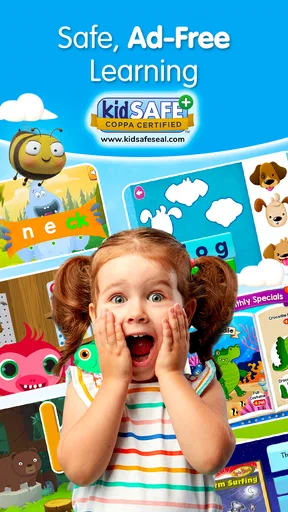
Reading Eggs is designed with child safety in mind, featuring a secure and ad-free environment. The app complies with privacy standards, ensuring that children’s data is protected. Parents can manage settings and monitor their child’s activity through the parent dashboard, providing peace of mind while their child learns and explores the app.
